By Santiago Fernández de Valderrama Aparicio, Applied AI Operator · Last updated
career-ops vs Simplify
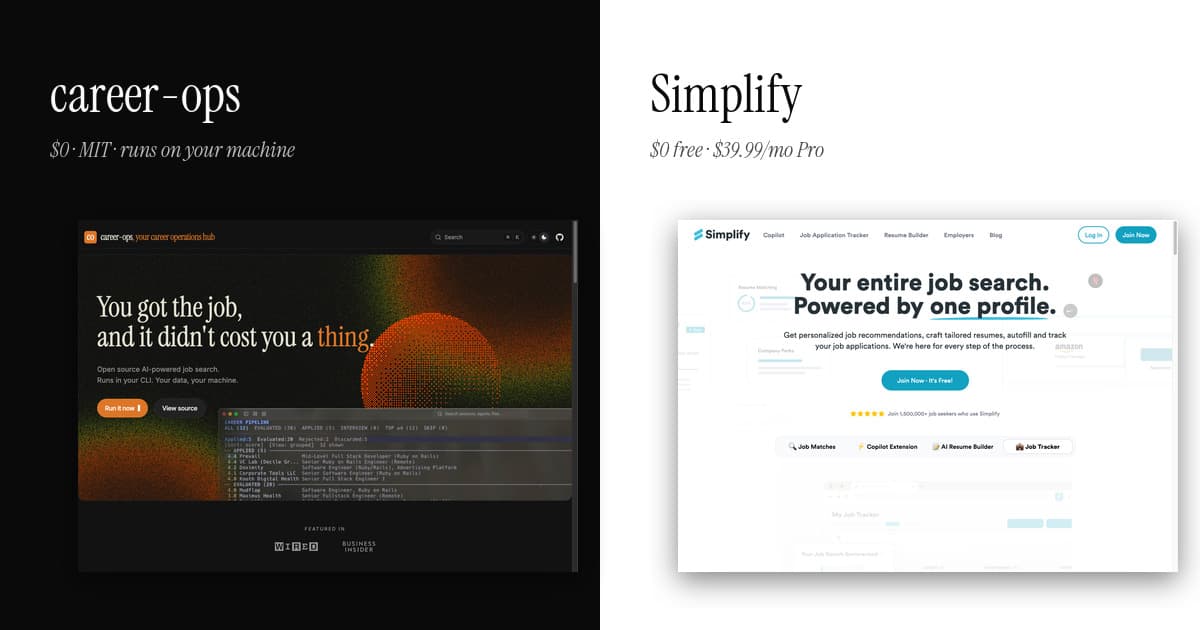
Simplify autofills job applications through a Chrome extension used by over a million people, monetizing via employer partnerships. career-ops takes the opposite architecture: an open-source pipeline in your AI CLI that evaluates listings BEFORE you apply — scoring fit, tailoring your CV per listing — so you send fewer, better applications instead of faster identical ones.
Simplify is the polished autofill extension that owns the tech-side job search in 2026 — over 1.5 million users, generous free tier, human-in-the-loop submission. career-ops is the local-first pipeline that runs through your AI CLI. Both reject mass auto-submission. The differences are everything else.
The honest summary
Pick career-ops if you want the full pipeline plus pre-apply form drafting on your own machine. Pick Simplify if the Chrome extension and the polished free tier are the workflow that fits.
Simplify earned its position. The Chrome extension does one thing exceptionally well — turning a fifteen-minute ATS form into a thirty-second autofill, on most major portals. The free tier is generous, and the human-in-the-loop posture (you still click submit) is the right ethical answer to mass auto-apply. Most tech candidates in 2026 use Simplify and they are right to.
career-ops takes the same workflow further. The pre-apply step in the apply mode goes past Simplify's standard-field autofill: it reads the JD and your profile, then drafts answers for the open-ended portal questions — the 'why this role', 'tell us about a project that demonstrates X', 'what excites you about this team' fields that Simplify leaves blank. Those questions are where applications actually slow down, and where most candidates fall back on copy-paste templates that read like copy-paste templates.
The trade-off is setup. Simplify is two minutes; career-ops is fifteen. Simplify lives in your browser; career-ops lives in your terminal. For technical users who want the deeper drafting step plus data ownership, career-ops wins on substance. For everyone else, Simplify is hard to beat for the convenience it ships.
Feature matrix
| Feature | career-ops | Simplify |
|---|---|---|
| Chrome autofill extension | None. Application drafting happens through the apply mode in your terminal, then you paste into the portal. | Yes — the flagship feature. One click fills name, email, education, work history on most ATS portals. |
| Job scanning | Scan mode hits public Greenhouse, Ashby, Lever APIs for zero-token portal scanning. | Curated job feed inside the app, sourced from public listings. |
| AI resume tailoring | Tailor mode rewrites cv.md per JD automatically through your AI CLI. | Available in Simplify+ ($39.99/mo) — AI-tailored resumes and cover letters. |
| Application tracker | Go TUI dashboard reading local markdown files. Pipeline stages, keyboard navigation. | Web dashboard with status pipeline. Auto-syncs from the Chrome extension. |
| Pre-apply form assistance | Yes — apply mode reads each portal's form fields and drafts contextual answers for every open-ended question ('why this role', 'tell us about a project') from your profile + the JD. You review, paste, submit. The slowest 15-20 minutes of any application, collapsed. | Partial — Simplify's autofill handles standard fields like name and education. It does NOT draft contextual answers for open-ended questions. Those are still on you. |
| Submission model | You submit, every time. The apply mode hands you the drafted content; clicking submit is your call. | You submit, every time. Simplify deliberately leaves the final click to the user — same human-in-the-loop posture career-ops takes. |
| Data ownership | Local-first. CV, evaluations, application history live on your machine. | Stored on Simplify's servers. Standard SaaS data-processing terms. |
| Setup time | 10-15 minutes (git clone + npm install + config) if you already have Node 18+. | Two minutes — install extension, fill profile, done. |
| Recurring cost | $0 for the tool. Your AI CLI subscription only (Claude Pro $20/mo typical). | Free tier covers autofill + tracking. Full AI features require Simplify+ at $39.99/mo. |
| Source code | Open source, MIT-licensed. github.com/career-ops-hq/career-ops. | Closed. |
| Methodology transparency | Published rubric of five scoring dimensions plus a holistic global score + canonical Block A-H evaluation prompt. | Match-score algorithm proprietary. |
| Press / media coverage | Featured in WIRED Greece and Business Insider (US & DE), April 2026. 44K+ GitHub stars. | Founded 2021. Y Combinator backed. Coverage in TechCrunch and Forbes for the 1.5M+ user milestone. |
Pricing & license at a glance
career-ops
$0 (MIT, open source)
Recurring cost: only your AI CLI subscription (Claude Pro $20/mo typical). Your data never leaves your machine.
Simplify
Free tier (Copilot autofill + tracking). Simplify+ at $39.99/mo (or $89.99 for 3 months).
Proprietary, closed-source. Cloud SaaS. Profile, resume, and tracking data on Simplify servers.
Frequently asked
- What does career-ops do that Simplify does not?
- Pre-apply form drafting for open-ended questions. Simplify autofills standard fields (name, email, education, work history) — career-ops drafts the actual answers to the long-form questions every serious application has ('why this role', 'tell us about a project', 'what is your salary expectation given the JD context'). Simplify saves you minutes on the easy parts; career-ops saves you fifteen minutes on the hard parts.
- Does career-ops have a Chrome extension like Simplify?
- No, and one is not planned. career-ops works through your AI CLI in the terminal; you copy drafted answers to the portal manually. The trade-off is intentional: no Chrome permissions, no browser extension supply chain, no data flowing to a third party.
- Can career-ops and Simplify be used together?
- Yes. Many users run Simplify's autofill for the standard fields (saving minutes per application) and use career-ops to draft the open-ended answers (saving 15-20 minutes per application). The two are complementary because Simplify covers the easy parts and career-ops covers the hard parts.
- Is the human-in-the-loop posture the same in both tools?
- Yes. Both Simplify and career-ops deliberately keep the user as the one who clicks submit. Neither auto-submits. That posture is the right answer to the recruiter pipeline degradation caused by mass auto-apply tools, and both tools share it.
See all comparisons at /compare. Read about the project at /about. The numbers behind the approach: 740 listings, analyzed.